
Tag: GWF-D1000
-

G-Shock GWF-D1000 User Manual / Casio Module 3445
Casio Watch Line: G-ShockModule number: 3445Manual in PDF: Watch 3445 Online → (without downloading, good for mobile);English Instruction Manual in PDF: Download Like your watch? Enjoy our recent news about GWF-D1000 Series All G-Shock GWF-D1000 News → G-FAN AlexBeing a fan of CASIO watches since 2009, I strive to share my passion and knowledge with others. Through…
-
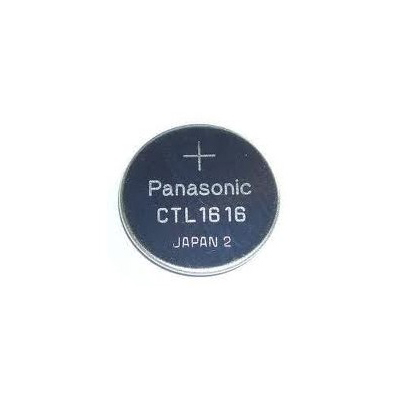
Battery for G-Shock GWF-D1000 Watch / CTL1616
Casio Watch Line: G-Shock Battery type: CTL1616 Battery price: 9$ [Free International Shipping] Original Battery for: G-Shock GWF-D1000 Watch Compatiable with models: G-9300, GW-9110, GW-9200, GW-9400, GW-A1100, GR-8900, GW-M5610, GWX-5600 GX-56, GW-2310, GW-9010, GWN-1000, GWX-8900, GPW-2000, GWF-D1000, GWN-Q1000, GPW-1000, GWN-1000, GWG-1000 G-FAN AlexBeing a fan of CASIO watches since 2009, I strive to share my passion…
-
How to set time on G-Shock GWF-D1000 / Casio 3445
Before using this guide, we recommend: Download official GWF-D1000 Manual → Watch official 3445 GWF-D1000 Manual Online → All settings are clearly explained and understandable. 1. In the Timekeeping Mode, hold down A for at least two seconds. SET will flash in the upper display and Hold will fl ash in the lower display. Next, SET will flash in the…
-
How to set alarm on G-Shock GWF-D1000 / Casio 3445
Before using this guide, we recommend: Download official GWF-D1000 Manual → Watch official 3445 GWF-D1000 Manual Online → All settings are clearly explained and understandable. 1. In the Alarm Mode, use D to scroll through the alarm screens until the one whose time you want to set is displayed. 2. Hold down A until SET Hold appears on the…

