
Tag: GWN-Q1000
-
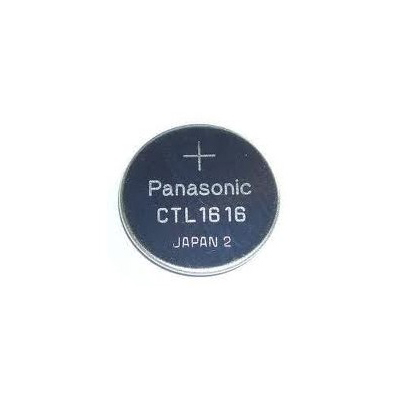
Battery for G-Shock GWN-Q1000 Watch / CTL1616
Casio Watch Line: G-Shock Battery type: CTL1616 Battery price: 9$ [Free International Shipping] Original Battery for: G-Shock GWN-Q1000 Watch Compatiable with models: G-9300, GW-9110, GW-9200, GW-9400, GW-A1100, GR-8900, GW-M5610, GWX-5600 GX-56, GW-2310, GW-9010, GWN-1000, GWX-8900, GPW-2000, GWF-D1000, GWN-Q1000, GPW-1000, GWN-1000, GWG-1000 G-FAN AlexBeing a fan of CASIO watches since 2009, I strive to share my passion…
-

G-Shock GWN-Q1000 User Manual / Casio Module 5477
Casio Watch Line: G-Shock Module number: 5477 Manual in PDF: Watch 5477 Online → (without downloading, good for mobile); English Instruction Manual in PDF: Download 5477 ZIP Recent News about Casio G-Shock GWN-Q1000 Series All G-Shock GWN-Q1000 News → G-FAN AlexBeing a fan of CASIO watches since 2009, I strive to share my passion and knowledge with…
-
How to set alarm on G-Shock GWN-Q1000 / Casio 5477
Before using this guide, we recommend: Download official GWN-Q1000 Manual → Watch official 5477 GWN-Q1000 Manual Online → All settings are clearly explained and understandable. 1. In the Alarm Mode, use A to scroll through the alarm screens until the one whose time you want to set is displayed. 2. Pull out the crown. This will cause the hour…
-
How to set time on G-Shock GWN-Q1000 / Casio 5477
Before using this guide, we recommend: Download official GWN-Q1000 Manual → Watch official 5477 GWN-Q1000 Manual Online → All settings are clearly explained and understandable. 1. In the Timekeeping Mode, pull out the crown. CITY will appear on the display. After that, the currently selected city code and city name (in English) will scroll on the display. 2. Press…
