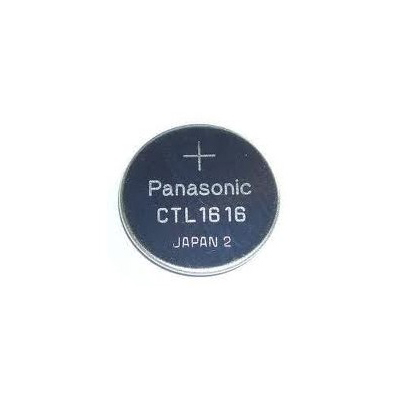
Tag: MRG-G2000
-

Battery for G-Shock MRG-G2000 Watch / CTL1616
Casio Watch Line: G-ShockBattery type: CTL1616Battery price: 15$ [average Amazon price. We may earn a commission on qualifying purchases from our links to Amazon]Original Battery for: G-Shock MRG-G2000 Watch G-FAN AlexBeing a fan of CASIO watches since 2009, I strive to share my passion and knowledge with others. Through publishing short notes and curating all listings on…
-

How to set time on G-Shock MRG-G2000 / Casio 5531
Before using this guide, we recommend: Download official MRG-G2000 Manual → Watch official 5531 MRG-G2000 Manual Online → All settings are clearly explained and understandable. G-FAN AlexBeing a fan of CASIO watches since 2009, I strive to share my passion and knowledge with others. Through publishing short notes and curating all listings on this site, I hope to…
-

G-Shock MRG-G2000 User Manual / Casio Module 5531
Casio Watch Line: G-ShockModule number: 5531Manual in PDF: Watch 5531 Online → (without downloading, good for mobile);English Instruction Manual in PDF: Download Like your watch? Enjoy our recent news about MRG-G2000 Series All G-Shock MRG-G2000 News → G-FAN AlexBeing a fan of CASIO watches since 2009, I strive to share my passion and knowledge with others.…
-
How to set time on G-Shock MRG-G2000 / Casio 5531
Before using this guide, we recommend: Download official MRG-G2000 Manual → Watch official 5531 MRG-G2000 Manual Online → All settings are clearly explained and understandable. 1. Pull out the crown to the second click. This will cause the indicator window to show the current Home City. 2. Hold down (C) for about 10 seconds. This causes the second…
-
How to set alarm on G-Shock MRG-G2000 / Casio 5531
Before using this guide, we recommend: Download official MRG-G2000 Manual → Watch official 5531 MRG-G2000 Manual Online → All settings are clearly explained and understandable. 1. Pull out the crown to the first click. This turns on the alarm. 2. Rotate the crown to change the alarm time setting. 3. Push the crown back in. 4. Press (C)…